 JayNest
Supplies: Consumables, “Opening New” and “Bought More”
- iPhone and iPad
- Browser
Mark toothpaste, a water filter or coffee capsules as a consumable and enter how many full packages you have. After that, one tap for each new package is enough: JayNest works out how long your supply will last and reminds you when it's running low.
On iPhone
- Open the item, e.g. toothpaste, and tap Edit next to the Quantity group.
- Turn on Consumable and set Full Packages, the number of unopened packages you still have. If you know how many days one package lasts, enter it in Days per Package. Tap Save.
- The item screen now has a Supply group: how many full packages are left, whether one is open, and roughly how long it will last.
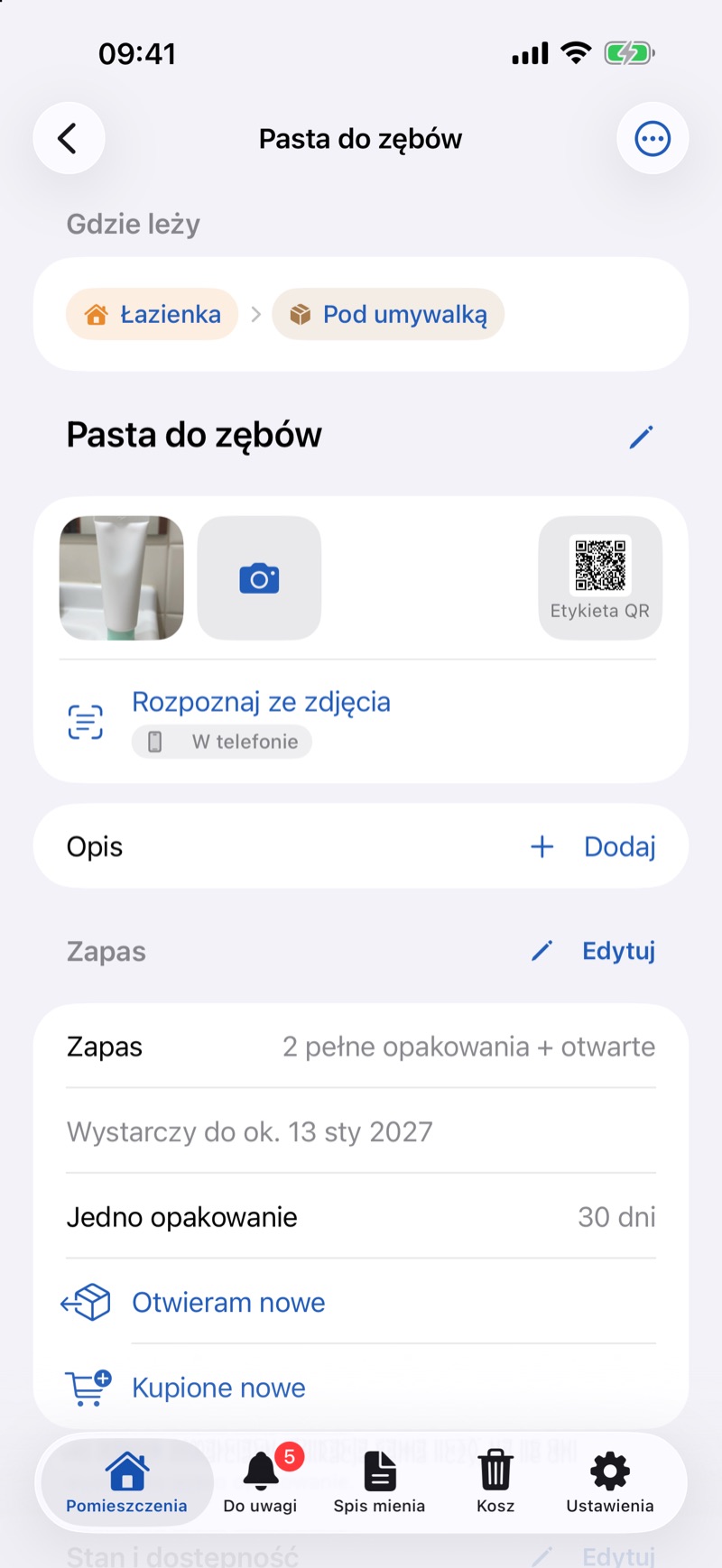
- When you open a new package, tap Opening New. The number of full packages goes down by one.
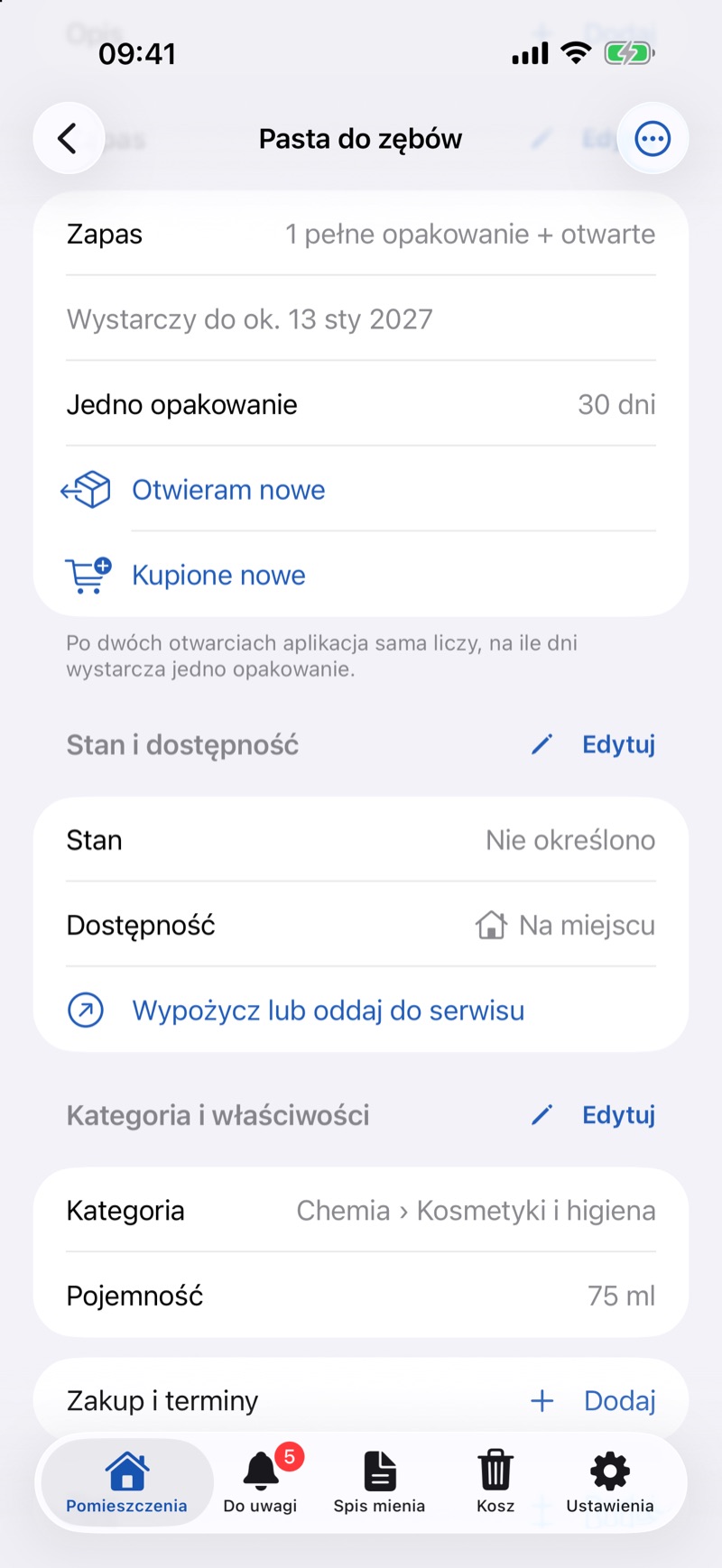
- After shopping, tap Bought More, set the number in Packages and tap Add.
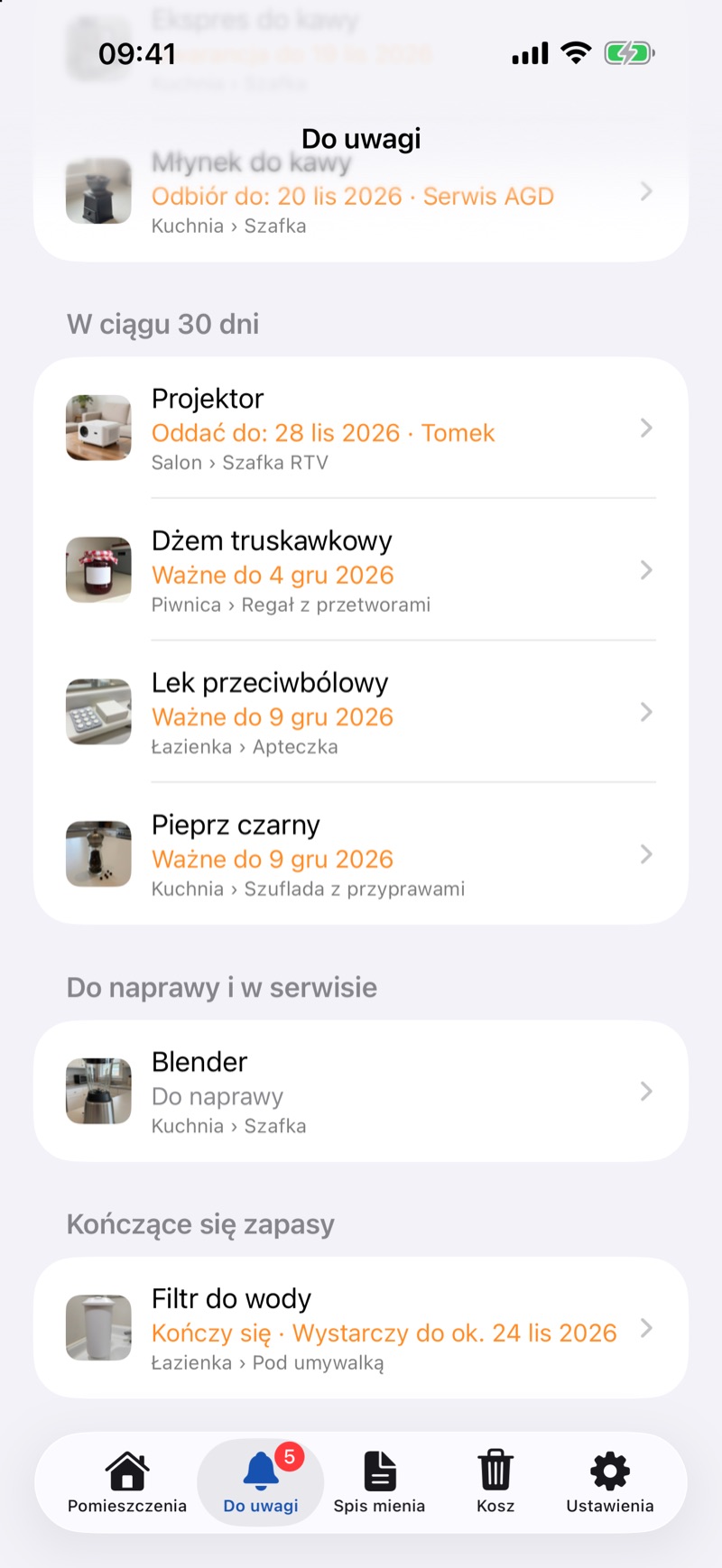
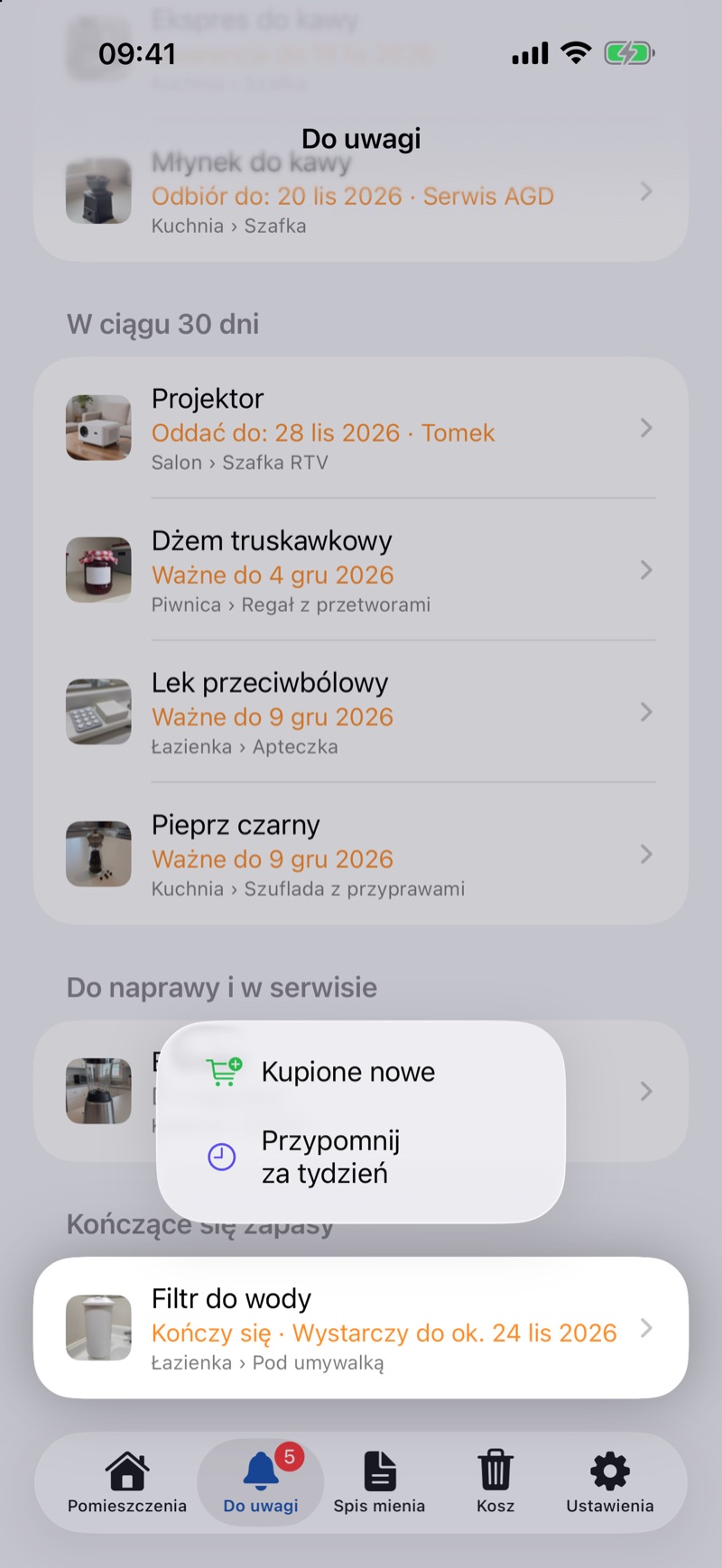
- When the supply is running low, the item appears in the Needs Attention tab under Running Low. You can record a purchase there too: swipe the row to the left and tap Bought More (it adds one package).
In the Browser
- On the item page, click Edit next to the Quantity group.
- Check Consumable, enter Full packages and, if you know it, Days per package. Click Save.
- In the Supply group, click Opening new when you open a new package and Bought more after shopping (enter the number of packages in the dialog and click Save).
The browser has no Needs Attention tab, but an item running low is marked Running low, and in search you can narrow the results with the Supply filter (Search and filters).
Good to Know
- At first, the forecast uses the number in Days per Package. From the third opening on, the app works it out itself from the average gap between the most recent openings. Without that number and before the third opening, there is no forecast yet.
- A supply is “running low” when the number of full packages is at or below the “Running Low” Threshold and the supply will run out within 14 days. With a threshold of 0, that happens when only the open package is left.
- When you finish the last open package and there are no full ones left, tap Ran Out.
- Openings and purchases are listed in the History group on the item screen. To remove an entry added by mistake, swipe it to the left.
- Supplies running low are also included in the weekly summary.