 JayNest
Trash: Restoring and Deleting Forever
- iPhone and iPad
- Browser
A deleted room, container, item or photo doesn't disappear right away. It goes to the Trash for 30 days. A box goes there with everything that was inside it, and comes back the same way: in one step, to the same place.
On iPhone
- When you delete a box with things in it, the app first tells you how much will go to the Trash with it. Tap Delete to confirm.

- Open the Trash tab. Things deleted in one step share one row, such as "Box 2 and 12 others", with the date they were deleted and the date they will disappear.
- Swipe the row to the right and tap Restore. You can also touch and hold the row and choose Restore from the menu.
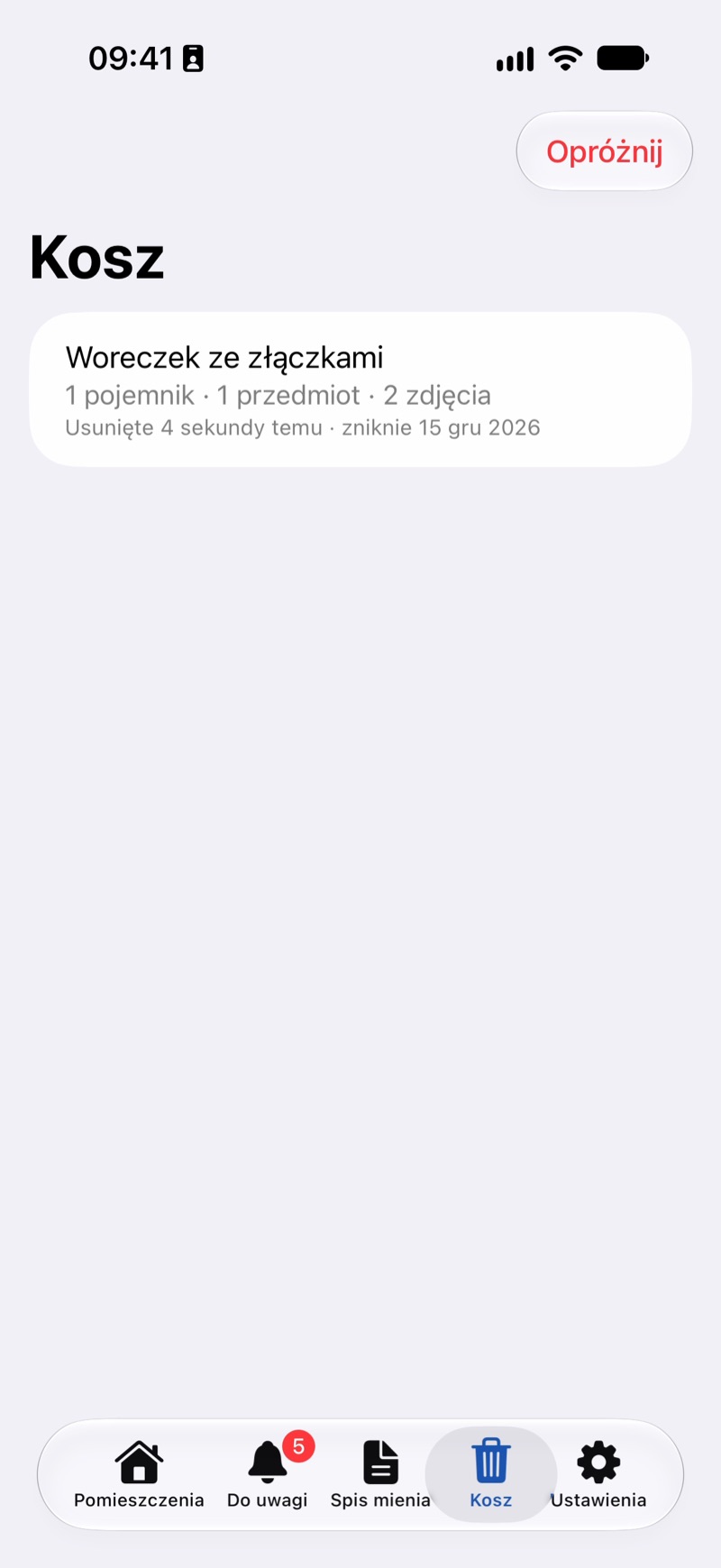
- To delete something right away, swipe the row to the left and tap Delete Forever. To clear everything, tap Empty at the top of the screen and confirm with Empty Trash.
In the Browser
- Click Trash in the menu on the left.
- Next to a row, click Restore or Delete Forever.
- Empty Trash at the top of the page deletes everything at once.
Good to Know
- After 30 days, things in the Trash disappear on their own, photos included. Delete Forever and Empty Trash delete them right away, and this can't be undone.
- When you restore an item and the box it was in is also in the Trash, the box comes back with it.
- Things in the Trash don't show up in your catalog, in search or in the Needs Attention tab.
- With a JayNest account, the Trash is shared by all your devices: whatever you restore or delete forever on one of them changes the same way on the others (Sync between phone, tablet and browser).